
68PLAY Download Guide
68PLAY is downloaded by running it through the Telegram App — there is no need to look for a separate standalone game installer. Users can click the download button on the 68PLAY official website to reach the official Telegram page and start the Bot, then tap "Enter Game Hall" in the chat window to open the 68PLAY App. Android, iOS, Windows and macOS devices can all access the platform by following the Telegram steps for their own device.
68PLAY Download and App Running Method
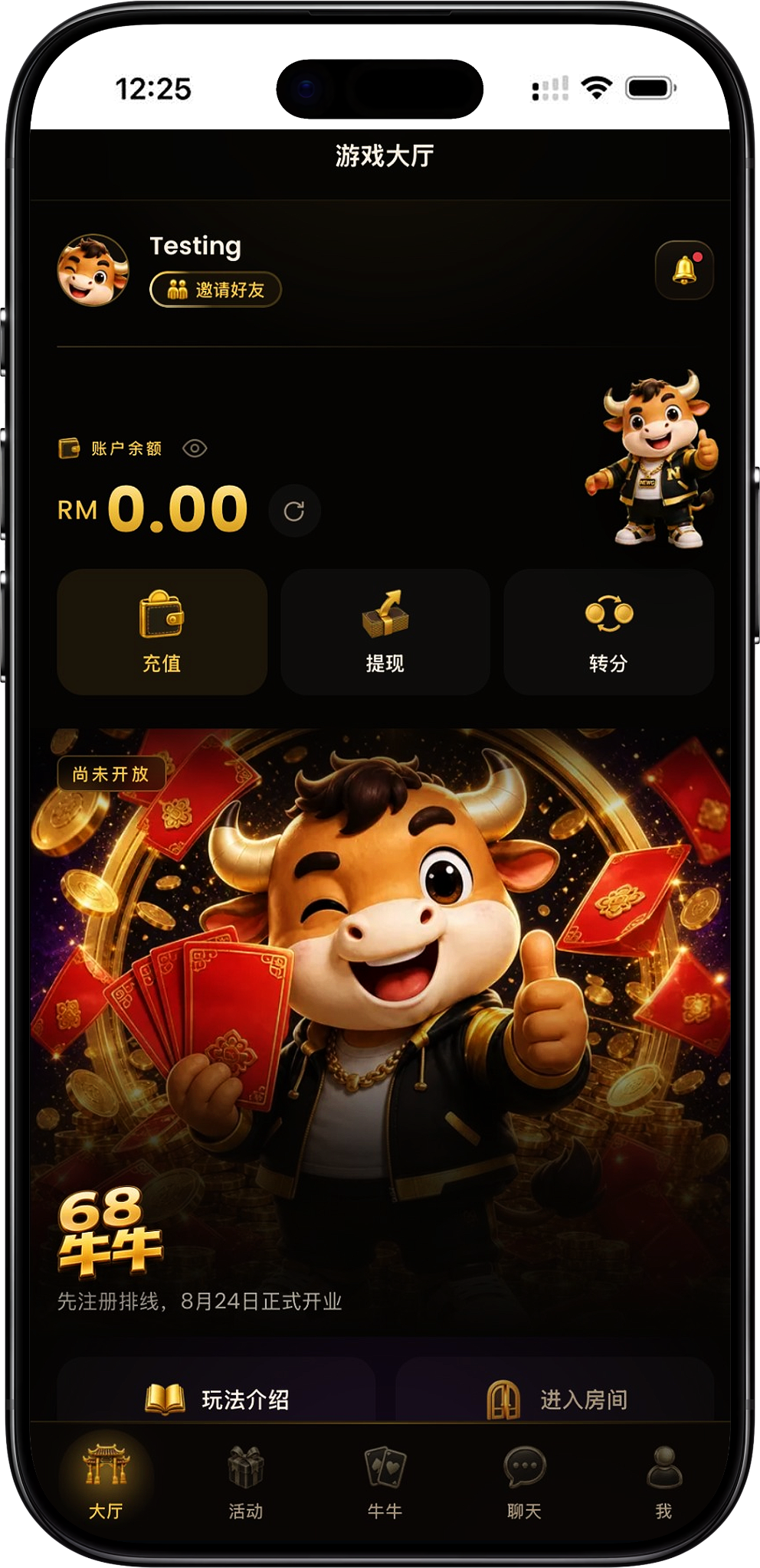
The 68PLAY App currently runs through Telegram. Users do not need to download a separate 68PLAY app from the official website — instead, they enter the official Telegram Bot from the official website, and once it has started, open the App by tapping "Enter Game Hall" in the chat window. The main difference between devices is simply using the matching version of Telegram; the process for entering 68PLAY is basically the same across all of them.
Entering the Official Telegram from the 68PLAY Official Website
After clicking the download button on the official website, the page redirects to the 68PLAY official Telegram Bot. The page displays the 68PLAY name and Bot information, along with a "START BOT" button as the entry point into Telegram.
Opening the 68PLAY App from Telegram
After starting the Bot, you'll enter the 68PLAY Telegram chat window — tap "Enter Game Hall" there. The system will then open the 68PLAY App and take you straight into the game lobby.
Android 68PLAY Download Steps
Android users first need to make sure their device can run Telegram normally, then go from the 68PLAY official website to the official Telegram page. Since 68PLAY runs through the Telegram App, there is no need to install a game APK from an unknown source.
Step 1: Set Up Telegram on Your Android Device
Install and log in to Telegram on your Android phone or tablet. If Telegram is already installed, you can use the existing app directly — no need to reinstall it just to access 68PLAY.
Step 2: Go to 68PLAY Telegram from the Official Website
Open the 68PLAY official website on your Android device and click the download button. The page will redirect to the official Telegram Bot — once you've confirmed you're on the right page, tap "START BOT".
Step 3: Launch the 68PLAY Bot via Telegram
After tapping "START BOT", follow the prompt shown on your Android device to open Telegram and enter the 68PLAY official Bot chat window.
Step 4: Tap "Enter Game Hall"
Find and tap the "Enter Game Hall" button in the Telegram chat window. The system will open the 68PLAY App from Telegram, and you'll be taken straight into the game lobby.
iOS 68PLAY Download Steps
Apple users can access 68PLAY through Telegram on an iPhone or iPad. The process on iOS devices also uses Telegram as the entry point, so there is no need to look for a separate 68PLAY installer from another source.
Step 1: Set Up Telegram on Your iOS Device
Install and log in to Telegram on your iPhone or iPad. If Telegram is already working normally on your device, you can go straight to the next step.
Step 2: Open the Official Entry Point via the 68PLAY Official Website
Visit the 68PLAY official website on your iOS device and click the download button to reach the 68PLAY official Telegram Bot page, then tap "START BOT".
Step 3: Open the 68PLAY Official Bot in Telegram
Follow the redirect prompt shown on your Apple device to open Telegram. Once you're in the right chat window, start the 68PLAY Bot to see the game lobby entry point provided by the platform.
Step 4: Enter the 68PLAY App
Tap "Enter Game Hall" in the chat window to run the 68PLAY App through Telegram and open the game lobby — no separate standalone iOS game app required.
Windows 68PLAY Desktop Usage Steps
Windows computer users can access 68PLAY through the desktop version of Telegram. The whole process still starts from the official Telegram entry point on the official website, then opens the game lobby through the Bot.
Step 1: Set Up Telegram on Your Windows Computer
Make sure Telegram Desktop is installed and logged in on your Windows computer. If Telegram isn't installed yet, install it and log in to your account first.
Step 2: Go to the Official Telegram Bot from the Official Website
Open the 68PLAY official website in your computer browser and click the download button. Once on the official Telegram page, tap "START BOT" — your browser may ask whether to open Telegram, so just follow the on-screen prompt to continue.
Step 3: Open Telegram Desktop
After allowing the browser to open Telegram, you'll enter the 68PLAY official Bot. Confirm you're in the right chat window, then continue through the entry point provided by the Bot.
Step 4: Open the 68PLAY Game Lobby
Tap "Enter Game Hall" in the Telegram chat window to run the 68PLAY App and enter the lobby.
macOS 68PLAY Desktop Usage Steps
macOS users can likewise access 68PLAY using Telegram on their computer. The Telegram page on the official website provides an entry point to open Telegram, after which you enter the game lobby through the 68PLAY Bot.
Step 1: Set Up Telegram on Your Mac
First, make sure Telegram is installed and logged in on your Mac. If the Telegram page prompts for the matching Mac client, get a working Telegram app ready first.
Step 2: Go to Telegram from the 68PLAY Official Website
Visit the 68PLAY official website in your macOS browser and click the download button. Once you reach the 68PLAY official Telegram page, tap "START BOT" to continue.
Step 3: Allow the Browser to Open Telegram
When your browser prompts you to open Telegram, choose to continue and open the app, then enter the 68PLAY official Bot chat window.
Step 4: Enter the Game Lobby from Telegram
Tap "Enter Game Hall" in the Bot chat window. The 68PLAY App will then run and display the game lobby, letting you keep using the platform from your computer.
68PLAY App and APK Download Instructions
The 68PLAY App currently runs through Telegram, so "68PLAY download" mainly means setting up Telegram on your device and opening the game lobby after entering the official Bot from the 68PLAY official website — not installing a separate standalone game client.
Does Android Need to Download the 68PLAY APK?
Following the current process, there is no need to look for a separate 68PLAY APK. Android users enter the official Bot through Telegram, then tap "Enter Game Hall" to run the 68PLAY App.
Does Apple iOS Have a Standalone 68PLAY App?
The current iOS process also runs through Telegram. Once iPhone or iPad users have Telegram ready, they can go from the official website into the 68PLAY official Bot and open the game lobby.
Does My Computer Need a Separate 68PLAY Program Installed?
The current process doesn't require installing a separate 68PLAY desktop client. Windows and macOS users can enter the official Bot through the matching Telegram desktop app, then open the 68PLAY game lobby.
68PLAY Download FAQ
Where Can I Download 68PLAY?
You can click the download button on the 68PLAY official website to reach the official Telegram page. 68PLAY currently runs through the Telegram App, so the main process is entering the official Bot and opening the game lobby from the chat window.
Does 68PLAY Need to Be Downloaded as an APK?
No — following the current process, there is no need to separately download a 68PLAY APK. Android users can use Telegram to enter the official Bot via the official website and run the 68PLAY App.
Can I Use 68PLAY on iPhone?
Yes — following the current iOS process, use Telegram on your iPhone to enter the 68PLAY official Bot, then tap "Enter Game Hall" to open the App.
Can I Use 68PLAY on Windows and macOS?
Yes — follow the computer process and use Telegram. Once Windows and macOS users enter the official Telegram Bot provided on the official website, they can open the 68PLAY game lobby from the chat window.
What Should I Do After Clicking START BOT?
After tapping "START BOT", open Telegram, enter the 68PLAY official Bot chat window, then tap "Enter Game Hall" to continue and open the 68PLAY App.
Why Doesn't the Official Website Provide a Separate Game Installer?
Because the 68PLAY App's entry point currently sits inside Telegram. Users simply enter the official Telegram Bot via the official website, then launch the platform from "Enter Game Hall".
Open 68PLAY via Telegram
Go from the 68PLAY official website into the official Telegram, start the Bot and tap "Enter Game Hall" to run the 68PLAY App on Android, iOS, Windows, or macOS devices.