
68PLAY Registration Guide
Registering for 68PLAY starts from the registration entrance on the official website, which leads to the official Telegram, where you begin the registration process through the 68PLAY Bot. First-time users need to bind an inviter — either by entering an invitation code or scanning a QR code to enter a designated invitation entrance — then follow the on-screen prompts to bind the current device, set a 6-digit payment password, and set a user name. Once these steps are complete, you can enter the 68PLAY game lobby.
68PLAY registration steps
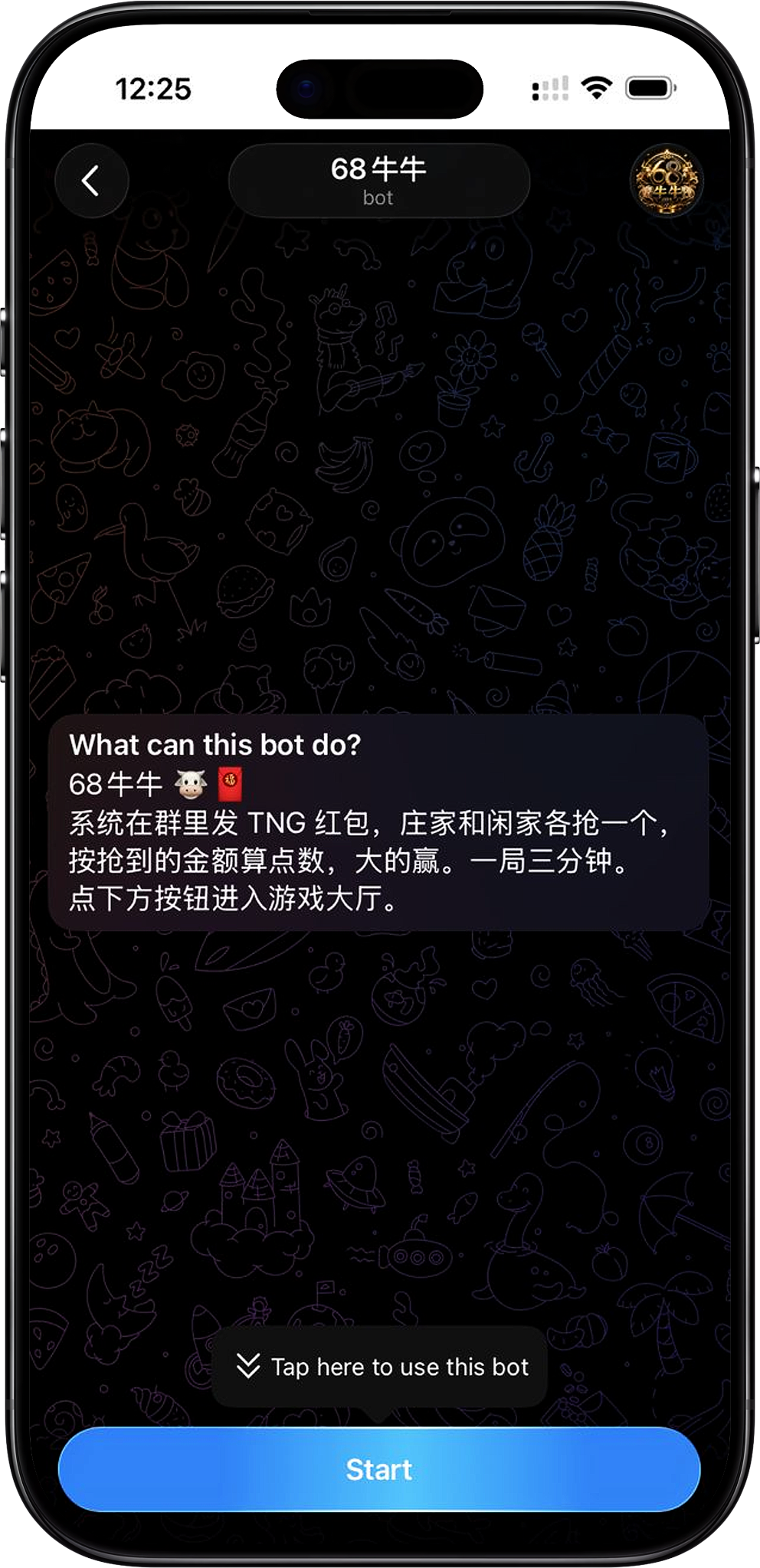
68PLAY registration is mainly completed through the official Telegram. Click the registration button on the official website to open the 68PLAY official Telegram page, then start the Bot and follow the prompts to complete inviter binding, device binding, and payment password and name setup, in order.
Step 1: Enter the Telegram registration entrance from the 68PLAY official website
After clicking the registration button on the 68PLAY official website, the page redirects to the 68PLAY official Telegram Bot. Going through the official entrance reduces the chance of landing on the wrong page if you search for the account yourself.
Step 2: Tap START BOT to open Telegram
After entering the 68PLAY Telegram page, tap "START BOT". If you're accessing it through a browser, the system may show an "Open Telegram?" prompt — choose "Open Telegram" to continue through your installed Telegram app.
Step 3: Start the Bot and enter the game lobby
Once Telegram opens, start the 68PLAY Bot. The first time you enter, the Bot shows registration and queuing prompts and provides an "Enter Game Lobby" button. If you entered through a link that already carries invitation information, the Bot may display the invitation code automatically. Tap "Enter Game Lobby" to continue registration.
Step 4: Bind the inviter
First-time users must bind an inviter first. On the "Bind Inviter" page, enter the inviter's UID or invitation code, then tap "Next". If you entered through a designated invitation QR code or a Telegram link that already carries an invitation code, simply follow the information shown on the page to complete the binding.
Step 5: Bind the current device
After binding the inviter, follow the on-screen prompts to bind your 68PLAY account to the current device. The platform binds one account to one device — after confirming the device is correct, tap "Bind this device" to continue.
Step 6: Set a 6-digit payment password
Once device binding is complete, the system will ask you to set a new 6-digit payment password. This password is used for fund-related operations in the lobby, including transferring points and withdrawals, so choose one you can remember but others can't easily guess, and never share it with anyone.
Step 7: Set your user name
Finally, set the user name that will be shown in groups, leaderboards, and point-transfer records. The name must be 2–12 characters long and can use letters, numbers, and underscores. Check it carefully before confirming, as it cannot be changed again within 24 hours of being set.
Step 8: Complete registration and enter the game lobby
Once your user name is set, 68PLAY registration is complete, and you can enter the game lobby to view your account balance and the platform's features. The lobby provides the main entrances for deposits, withdrawals, point transfers, and entering rooms.
Use an invitation code or QR code to bind the inviter

Binding an inviter is an important step for first-time registration. You can fill in the inviter's UID or invitation code directly, or scan the QR code the inviter provides to enter the corresponding Telegram registration entrance. If the entrance already carries an invitation code, confirm the invitation information shown on the page after opening the Bot, then continue following the registration prompts.
Register using an invitation code
If you already have the invitation information, enter the corresponding UID or invitation code on the "Bind Inviter" page. It's recommended to double-check that the digits and characters are complete before submitting, to avoid being bound to the wrong inviter due to a typing error.
Register using a QR code
An invitation QR code lets you quickly reach the corresponding registration entrance. After scanning it, follow the on-screen prompts to open the 68PLAY official Telegram Bot, then continue starting the Bot, entering the game lobby, and completing the remaining registration steps — without needing to search for the Telegram account yourself.
Bind the current device when registering
68PLAY requires you to bind the device you're currently using during registration, with one account corresponding to one bound device. Before doing this, confirm that the current device is the one you'll mainly use for 68PLAY going forward, and make sure the relevant apps are correctly installed and logged in so later platform features work normally.
Why does registration require binding a device?
Device binding establishes a corresponding relationship between the account and the current device. The page clearly states that once binding is complete, you cannot change the bound device yourself — so this step should not be completed on a borrowed device or one you don't intend to use long-term.
Can I change the device myself after binding?
No, not directly by yourself. The registration page explains that if you need to change a bound device later, you must access the mini program through the original bound device and contact Support to process it — so confirm your device choice carefully before the first binding.
Set a 6-digit payment password and user name
After device binding, you still need to complete the payment password and user name setup. These two items are used for fund-operation verification and public account display respectively, and are important settings to complete before finishing 68PLAY registration.
6-digit payment password
The system requires you to create a payment password made up of 6 digits. The page explains that this password is needed for both point transfers and withdrawals, so keep it safe after registration and avoid reusing your Telegram password or other easily guessed number combinations.
User name
Your user name is displayed in groups, leaderboards, and point-transfer records. It can be 2–12 characters long, using letters, numbers, and underscores. Once confirmed, the name cannot be changed for 24 hours, so make sure the spelling and format are correct before submitting.
Complete registration and enter 68PLAY game lobby
Once the inviter, device, payment password, and user name are all set, you can enter the 68PLAY game lobby. The lobby shows your current user name and account balance, and provides entrances for deposits, withdrawals, point transfers, and games. For subsequent use, always access your account through the correct official entrance, and never share account details such as your payment password with anyone.
What can I see after completing registration?
The game lobby centrally displays the account balance and the main feature entrances, and also provides actions such as entering rooms. New users can first confirm their name and balance status, then choose the relevant features according to their own needs.
68PLAY Registration FAQ
Where do I register for 68PLAY?
You can use the registration button on the 68PLAY official website to reach the official Telegram page, tap "START BOT" and open Telegram, then follow the prompts on the Bot and the registration page to complete the whole process.
Does 68PLAY registration always require an invitation code?
Yes, the first-time page requires binding an inviter, which means entering the inviter's UID or invitation code. You can also use an invitation QR code to enter a Telegram registration entrance that already carries the corresponding invitation information.
Do I still need to enter the invitation code after scanning the QR code?
If the registration entrance linked to the QR code already carries invitation information, the Telegram Bot may display the invitation code automatically. Go by the binding status actually shown on the registration page, and confirm the invitation information is correct before continuing.
Why does registration require binding a device?
68PLAY binds one account to one device. Once bound, it cannot be changed by the user, so it's recommended to complete registration on the device you plan to use for the account long-term.
Why do I need to set a 6-digit payment password when registering?
The payment password is used for fund-related operations on the account. The registration page clearly states that it's required for both point transfers and withdrawals, so keep it safe once it's set.
Can my 68PLAY user name be changed?
Yes, but once set, the page states it cannot be changed again for 24 hours. When setting it the first time, use 2–12 characters, with letters, numbers, and underscores.
Start registering for 68PLAY
Go to the official Telegram registration entrance from the 68PLAY official website, start the Bot, and follow the on-screen prompts to complete the inviter, device, payment password, and user name settings.